
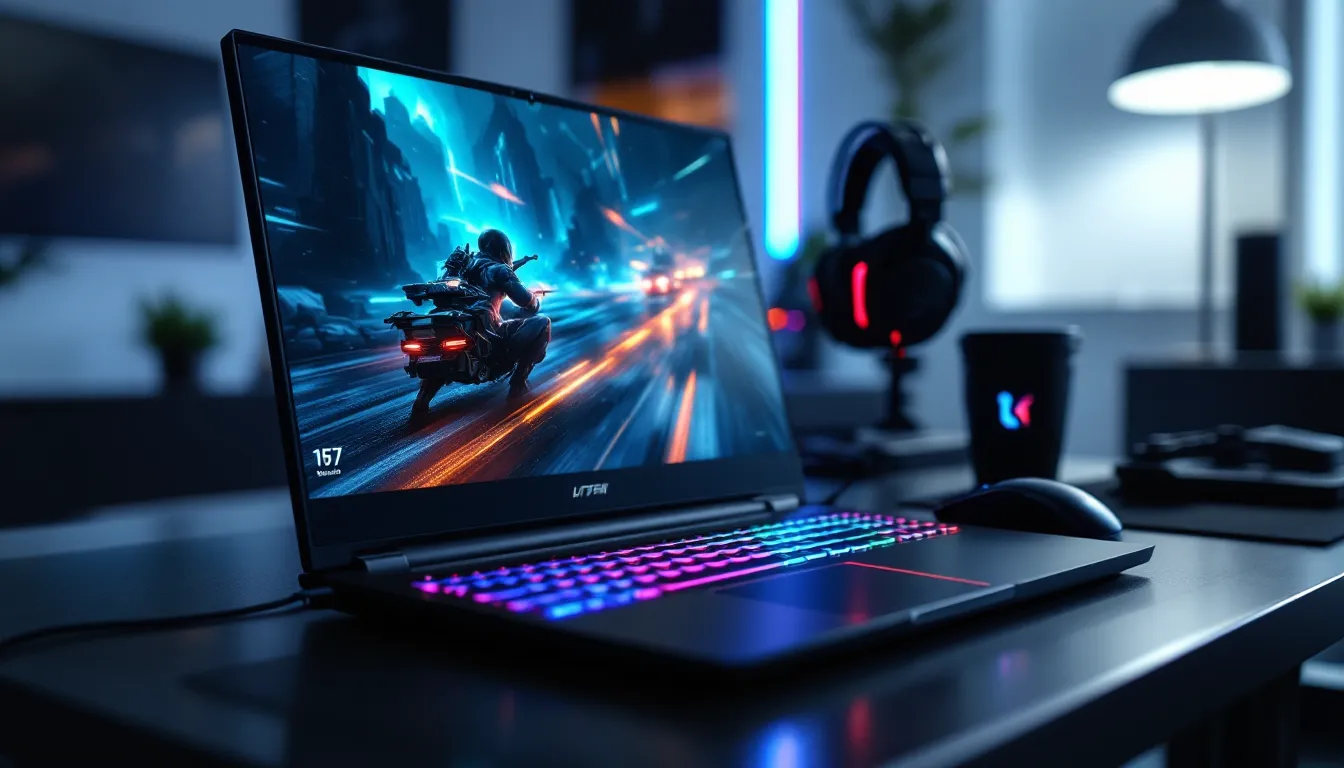

Shopping for a 17 inch gaming laptop in 2026 means navigating a crowded market where every manufacturer claims to offer the best performance. But bigger doesn’t automatically mean better, and dropping $1,500+ on a massive machine without understanding what separates a good 17-incher from a mediocre one is a fast track to buyer’s remorse.
The appeal is obvious: more screen space, beefier cooling systems, and room for high-end components that would throttle in smaller chassis. But the trade-offs, weight, battery life, portability, aren’t trivial. This guide cuts through the marketing noise to help gamers figure out whether a 17 inch gaming laptop fits their setup, which specs actually matter, and which models deliver the best bang for buck in 2026. Whether someone’s chasing 240Hz esports dominance or rendering YouTube content between Elden Ring sessions, the right 17-incher can do it all.
Key Takeaways
- A 17 inch gaming laptop offers 30% more viewing area than 15-inch models, delivering superior immersion for competitive shooters, RPGs, and open-world games while providing essential desk space for peripherals and productivity work.
- GPU performance is the primary differentiator in 2026: RTX 5080 Mobile or better handles 1440p 165Hz gaming across modern titles, while 32GB DDR5 RAM and 1TB+ NVMe storage form the baseline for serious gaming without bottlenecks.
- 17-inch designs excel in specific scenarios like dorm gaming, LAN events, and single-display setups, but the 6–10 pound weight and 90-minute gaming battery life make them poor choices for daily commuters or portable workflows.
- Superior cooling in 17 inch laptops sustains higher GPU power (150W vs. 115W on 15-inch equivalents), reducing throttling, lowering temperatures, and extending component lifespan—but poor engineering can waste this advantage, so thermal benchmarks matter more than chassis size.
- Budget-conscious buyers should prioritize display quality, RAM capacity, and actual gaming performance over RGB lighting and branding; skip last-generation models without 30–40% discounts, and invest in external cooling pads, mechanical keyboards, and regular maintenance to maximize long-term value.
Why Choose a 17 Inch Gaming Laptop Over Smaller Alternatives?
Immersive Screen Real Estate for Gaming
17 inch displays fundamentally change how games feel. In competitive shooters, the extra diagonal space makes spotting enemies at range easier, peripheral vision improves without cranking FOV sliders to fisheye extremes. RPGs and open-world titles benefit even more: UI elements spread out naturally, reducing screen clutter without sacrificing readability.
The difference between 15.6 and 17.3 inches might sound marginal on paper, it’s only 1.7 inches diagonally, but the actual viewing area jumps by roughly 30%. That’s massive when comparing a cramped 15-inch panel to a proper 17-inch setup. For gamers who don’t want external monitors cluttering their desk or LAN party setup, a 17-incher delivers that desktop-class experience in a single package.
Superior Cooling and Performance Headroom
Thermal performance separates good gaming laptops from throttling disappointments. 17 inch chassis provide significantly more internal volume for heat pipes, vapor chambers, and larger fans. This isn’t just theory, it’s measurable. High-end GPUs like the RTX 5090 Mobile or AMD Radeon RX 8800M can sustain higher TGP (Total Graphics Power) in 17-inch frames compared to their 15-inch counterparts.
In practice, that means lower temperatures during extended sessions and less aggressive fan curves. A well-designed 17-inch laptop might hold an RTX 5080 at 150W sustained, while a 15-inch model throttles the same chip to 115W under load. The result? Fewer dropped frames, longer component lifespan, and quieter operation when temps stay in check.
Enhanced Keyboard Layout and Ergonomics
Keyboard real estate matters more than most buyers realize. 17 inch laptops typically feature full-size layouts with dedicated numpad sections, critical for MMO players who bind abilities to numpad keys or anyone doing serious productivity work between gaming sessions.
Key spacing mirrors desktop keyboards, reducing misclicks during intense moments. Many 17-inchers also pack larger trackpads (though most gamers rightfully ignore those) and better speaker placement. Typing feel improves too: bigger chassis means more room for key travel and stabilization. It’s a small quality-of-life upgrade that compounds over thousands of hours of use.
Key Specs to Prioritize in a 17 Inch Gaming Laptop
GPU: The Heart of Gaming Performance
Everything else is negotiable. The GPU determines whether a laptop runs Cyberpunk 2077 at 1440p Ultra or struggles with esports titles at medium. In 2026, the performance hierarchy looks like this:
- RTX 5090 Mobile / RX 8900M: Flagship-tier. 4K gaming, max settings AAA titles, ray tracing without compromise. Expect $3,000+ laptops.
- RTX 5080 Mobile / RX 8800M: The sweet spot for serious gamers. Handles 1440p 165Hz gaming across all modern titles. Usually found in $2,000-$2,800 machines.
- RTX 5070 Mobile / RX 8700M: Mid-range workhorses. 1080p 240Hz or 1440p 120Hz depending on game optimization. Budget: $1,400-$2,000.
- RTX 5060 Mobile / RX 8600M: Entry-level but capable. 1080p high settings in most games, competitive framerates in esports. $1,000-$1,400.
Don’t chase VRAM numbers blindly, 12GB is plenty for 1440p gaming in 2026. Focus on actual benchmarks for the games being played.
CPU: Balancing Gaming and Multitasking
Gaming workloads don’t stress CPUs like they used to, but modern titles increasingly leverage multithreading. The latest processors also handle background tasks, Discord, streaming software, browser tabs, without stealing frames.
Intel’s 14th Gen Core i7-14700HX and Core i9-14900HX dominate high-end 17-inchers in 2026, paired against AMD’s Ryzen 9 8945HX and Ryzen 7 8845HX. For pure gaming, any recent 8-core chip is sufficient. Content creators streaming to Twitch or rendering videos should lean toward 12-core or 16-core options.
One often-overlooked factor: CPU TDP affects battery life dramatically. A laptop with a 55W CPU will last 30-40% longer unplugged than one running a 120W processor at full tilt.
Display: Refresh Rate, Resolution, and Panel Type
This is where buyer priorities split hard. Competitive FPS players want 1080p 360Hz IPS panels, minimum input lag, maximum smoothness. Single-player enthusiasts prefer 1440p 240Hz IPS or even 4K 144Hz miniLED for visual fidelity.
Panel type matters:
- IPS: Best viewing angles, accurate colors. Standard for gaming.
- miniLED: Superior contrast and HDR performance. Game-changer for cinematic titles but adds $200-$400 to the price.
- OLED: Perfect blacks, stunning color. Burn-in risk still exists for static UI elements even though 2026 improvements.
Response time should be under 5ms for serious gaming. Brightness above 300 nits helps with glare. G-Sync or FreeSync support is non-negotiable for eliminating screen tearing.
RAM and Storage Configuration
32GB DDR5 is the 2026 baseline for high-end gaming laptops. 16GB still works for budget builds, but modern games like Star Citizen or Tarkov can push past 20GB with background apps running. DDR5-5600 or faster ensures the CPU isn’t bottlenecked.
Storage needs two considerations:
- Capacity: 1TB minimum. Modern AAA games routinely exceed 100GB (Call of Duty installations hit 200GB+). 2TB is the comfort zone.
- Speed: Gen4 NVMe SSDs are standard. Gen5 offers marginal improvements for loading times but costs more. Most gamers won’t notice the difference between 7,000 MB/s and 5,000 MB/s read speeds.
Upgradeability varies wildly. Some 17-inchers feature two M.2 slots and user-accessible RAM: others solder everything. Check teardown reviews before buying if future-proofing matters.
Top 17 Inch Gaming Laptops in 2026
Premium Powerhouses for Esports and AAA Titles
The ASUS ROG Strix Scar 17 (2026) leads the pack with an RTX 5090 Mobile, 1440p 240Hz miniLED panel, and vapor chamber cooling that keeps the GPU under 78°C during stress tests. It’s a beast at $3,299, but independent gaming laptop benchmarks consistently rank it as the highest-performing 17-incher available. The per-key RGB keyboard and Dolby Atmos speakers are gravy.
MSI Raider GE78 HX offers similar specs at $3,199, swapping ASUS’s subtle design for aggressive RGB lighting and a mechanical keyboard option. Cooling is slightly louder but equally effective. Battery life suffers, expect 2.5 hours unplugged, but nobody’s buying a 10-pound laptop for portability.
Alienware x17 R3 rounds out the premium tier at $3,499 with Dell’s signature build quality and a Cherry MX mechanical keyboard. The AlienFX lighting system is overkill, but the four-zone RGB adds zero latency. It’s the quietest high-performance 17-incher tested in 2026.
Mid-Range Champions for Budget-Conscious Gamers
Lenovo Legion Pro 7i (17-inch) dominates the $2,000-$2,500 bracket with RTX 5080 Mobile, 1440p 165Hz IPS, and shockingly good port selection (four USB-A, two USB-C with Thunderbolt 4). Legion’s TrueStrike keyboard feels better than most desktop mechanicals under $100. Thermals are excellent: the triple-fan design keeps noise reasonable even during GPU-intensive sessions.
ASUS TUF Gaming A17 undercuts at $1,899 with AMD’s Ryzen 9 8945HX and RX 8800M. Build quality takes a step down from ROG territory, plastic instead of aluminum, but performance holds strong. The 1080p 240Hz display targets competitive gamers who prioritize framerate over resolution. Battery life surprisingly beats more expensive competitors by 30 minutes.
HP Omen 17 sits at $2,199 with Intel i7-14700HX and RTX 5070 Ti Mobile. It’s the most understated design in this category, minimal RGB, clean lines. The tempest cooling system is whisper-quiet at idle and merely noticeable under load. Great for LAN environments where noise discipline matters.
Entry-Level Options That Don’t Compromise
Acer Nitro 17 redefines budget gaming at $1,399. RTX 5060 Mobile pushes 1080p high settings across most 2026 releases, and the 144Hz IPS panel is smooth enough for competitive play. Build quality is the obvious sacrifice, flexy plastic chassis and a mediocre trackpad, but the keyboard holds up and cooling exceeds expectations for the price bracket.
Gigabyte G7 offers similar specs at $1,499 but adds a 1080p 240Hz display. Thermals run hotter than Acer’s solution, and fan noise gets aggressive during extended sessions. Still, reliable technology reviews highlight its value proposition for esports-focused players on tight budgets.
ASUS TUF Gaming F17 ($1,299) targets the absolute floor with RTX 5050 Ti Mobile. It’ll handle esports titles and older AAA games at medium-high, but modern releases require settings tweaks. The 1080p 120Hz screen is the weakest link here, dim and washed out compared to competitors. Consider this a stopgap laptop, not a long-term investment.
Portability vs. Performance: The 17 Inch Trade-Off
Weight and Battery Life Considerations
Most 17 inch gaming laptops weigh 6-10 pounds before adding the power brick. Budget another 2-3 pounds for the charger, high-performance models often ship with 280W+ adapters that resemble actual bricks. This isn’t a machine for daily commuting: it’s a desktop replacement that occasionally moves between rooms or LAN events.
Battery life ranges from laughable to merely disappointing. Gaming unplugged drains most 17-inchers in 90 minutes. Light productivity work, web browsing, document editing, might stretch to 4-5 hours with aggressive power management. The Lenovo Legion Pro 7i pushes 5.5 hours in testing thanks to hybrid GPU switching (iGPU for light tasks, discrete GPU for gaming), but it’s an outlier.
Anyone planning to game unplugged is making a mistake. These laptops need wall power to unlock full performance. Battery mode throttles GPUs to 30-40% of their potential to preserve charge.
When a 17 Inch Laptop Makes Sense for Your Setup
17-inchers excel in specific scenarios:
- Dorm gaming: No room for a desktop tower and monitor, but desk space exists for a large laptop.
- LAN events: Portability matters, but only for car-to-venue trips, not daily carrying.
- Frequent relocation: Moving between parent’s houses, temporary housing, or travel that involves staying put for weeks at a time.
- Single-display preference: Gamers who hate multi-monitor setups and want everything on one large screen.
They’re terrible choices for:
- Daily commuters: Weight and bulk make backpack carry miserable.
- Coffee shop workers: Battery life and social acceptability both fail.
- Tight desk setups: A 17-inch footprint demands significant surface area.
Gaming Experience: What to Expect from 17 Inch Displays
Competitive Gaming and High Refresh Rates
High refresh displays transform competitive shooters. The jump from 60Hz to 144Hz is immediately noticeable, smoother tracking, reduced motion blur. 240Hz provides diminishing returns but still offers an edge in reaction-time-critical games like Valorant or CS2.
Input latency matters as much as refresh rate. Quality 17-inch gaming panels in 2026 hit 3-5ms response times, comparable to dedicated gaming monitors. Paired with G-Sync or FreeSync, tearing and stuttering vanish even when framerates fluctuate between 120-180 FPS.
Screen size offers tactical advantages in MOBAs and RTS games. Minimap visibility improves without glancing away from the action center. In League of Legends or Dota 2, peripheral vision picks up ganks earlier. It’s not game-breaking, but every edge counts in ranked play.
Content Creation Beyond Gaming
The GPU horsepower justifying a gaming laptop doubles as content creation muscle. Video editors benefit from hardware-accelerated encoding, RTX 5080 and above handle 4K timeline scrubbing in DaVinci Resolve without hiccups. Color accuracy varies by panel: miniLED displays covering 100% DCI-P3 rival professional monitors for color grading work.
17 inch screens provide enough workspace for Photoshop or Premiere Pro without feeling cramped. Timeline panels, tool palettes, and preview windows fit comfortably without aggressive scaling. Detailed gaming tech buying guides often highlight this dual-use value for content creators who also game.
Streaming benefits from spare CPU cores. A 16-core processor handles game encoding via NVENC while running OBS, Discord, and browser-based chat without frame drops. The large display makes monitoring stream health, chat, and gameplay simultaneously feasible on a single screen.
Thermal Management in Large Form Factor Laptops
The thermal advantage of 17 inch laptops is real but not automatic. Poor engineering can waste that extra volume, some budget models pack undersized heat pipes and single-fan designs that choke under load even though the available space.
Top-tier models deploy multi-fan arrays (typically 2-3 fans), vapor chamber cooling, and liquid metal thermal compound on CPU/GPU dies. The ASUS ROG Strix Scar 17 uses a triple-fan system with 84 fan blades and seven heat pipes. Result? GPU temps stay around 75°C during sustained gaming, while CPU peaks at 82°C, well within safe operating ranges.
Airflow design matters as much as raw cooling capacity. Laptops with rear and side exhaust vents outperform bottom-only designs. Elevating the laptop on a stand or cooling pad improves intake airflow by 10-15%, measurably dropping temps.
Dust accumulation remains the silent killer. 17-inch cooling systems move massive air volumes, which means faster dust buildup on fins and fans. Most manufacturers design easily accessible rear panels for cleaning, but many users ignore maintenance until thermal throttling becomes obvious. Cleaning intake vents every 3-4 months prevents performance degradation.
Noise profiles vary wildly. The MSI Raider GE78 sounds like a jet engine under full load, 65+ decibels. The HP Omen 17 hits 48 decibels in the same scenario. Custom fan curves via manufacturer software (Armoury Crate, Dragon Center, Omen Gaming Hub) help balance noise and thermals, but expect audible fan presence during any serious gaming session.
Common Mistakes to Avoid When Buying a 17 Inch Gaming Laptop
Overpaying for RGB lighting and branding. Alienware’s premium looks add $300-$500 over functionally identical Lenovo or ASUS models. RGB is cool, but it doesn’t increase FPS. Buy performance first, aesthetics second.
Ignoring display quality. A $2,500 laptop with an RTX 5080 means nothing if the screen is a dim, washed-out 144Hz panel. Check reviews for color gamut coverage, brightness, and response time. The display is the component that’s looked at for every single session, it deserves priority.
Skimping on RAM. 16GB is the bare minimum in 2026, and it’s already showing age in memory-hungry titles. Paying $100 extra for 32GB avoids bottlenecks and extends the laptop’s relevance by 2-3 years. Some manufacturers charge $200+ for post-purchase RAM upgrades: others solder RAM entirely, removing upgrade paths.
Buying last-gen models without significant discounts. A 2025 laptop with RTX 4080 Mobile shouldn’t cost 80% of a 2026 model with RTX 5070 Mobile. Generational leaps in GPU architecture matter. Demand at least 30-40% off MSRP for previous-gen hardware.
Overlooking port selection. Gaming laptops need connectivity for peripherals, external displays, and high-speed storage. Minimum acceptable: three USB-A, one USB-C with DisplayPort/Thunderbolt, HDMI 2.1, and a dedicated charging port. Laptops that sacrifice ports for thinness force dongles and hubs, annoying and expensive.
Assuming bigger always means better cooling. Some 17-inch budget models thermal throttle worse than quality 15-inchers. Read thermal benchmarks. Sustained performance under load matters more than peak burst numbers in synthetic tests.
Ignoring warranty and support reputation. Premium gaming laptops are complex machines with failure points. ASUS and Lenovo generally offer better RMA experiences than Gigabyte or smaller brands. Extended warranties make sense for $2,000+ purchases, especially for components like hinges and screens that endure mechanical stress.
How to Maximize Your 17 Inch Gaming Laptop Investment
Essential Accessories and Upgrades
A cooling pad improves thermals by 5-8°C for $30-$60. Models with large fans directly under CPU/GPU zones work best. It’s a cheap insurance policy against thermal throttling and extends component lifespan.
External monitor might seem redundant with a 17-inch display, but dual-screen setups transform productivity. A $200 1080p 144Hz secondary display handles Discord, guides, or streaming software while the laptop screen focuses on gameplay.
External keyboard and mouse are non-negotiable for serious gaming. Even the best laptop keyboards can’t match a quality mechanical board. This setup also reduces wear on the laptop’s built-in peripherals, preserving resale value.
USB hub or dock expands connectivity. Thunderbolt docks ($150-$300) provide single-cable solutions for multiple peripherals, charging, and display output. Cheaper USB-C hubs ($40-$80) work for basic needs.
Storage expansion via external SSD or secondary internal drive (if supported) solves the eternal game library problem. A 2TB external NVMe over Thunderbolt 4 hits 2,800 MB/s, fast enough for loading games without the internal drive premium.
Quality headset outperforms laptop speakers every time. Even the Dolby Atmos systems in premium 17-inchers can’t compete with decent $100 gaming headphones for positional audio.
Maintenance Tips for Longevity
Clean intake vents and exhaust ports every 3 months using compressed air. Hold fans stationary while blowing to prevent bearing damage from overspin. Full internal cleaning (removing bottom panel, dusting heatsinks) extends to once or twice yearly depending on environment.
Repaste thermal compound every 18-24 months. Factory applications degrade over time, especially under sustained high temps. Quality thermal paste ($10-$15) and careful application drop temps by 5-10°C on aging hardware. Liquid metal offers better performance but requires expertise, one mistake and it’s a dead motherboard.
Battery care extends lifespan. Keeping charge between 40-80% preserves long-term capacity. Most manufacturer utilities include battery charge limiters, enable the 60-80% option for plugged-in gaming sessions. Letting batteries sit at 100% for weeks accelerates degradation.
Driver updates matter more on laptops than desktops. GPU drivers from Nvidia or AMD often release with significant performance improvements or game-specific optimizations. Manufacturer-specific drivers (ASUS Armoury Crate updates, MSI Dragon Center patches) sometimes include fan curve improvements or power delivery tweaks.
Backup critical data regularly. Gaming laptops endure more physical stress than desktops, travel, temperature swings, component strain. Cloud storage or external backup drives prevent total loss if the SSD fails.
Monitor component temps using HWInfo64 or similar. Establishing baseline temps when new helps identify thermal degradation early. Sudden 10°C+ increases signal dust buildup or failing thermal paste before performance noticeably drops.
Conclusion
17 inch gaming laptops occupy a specific niche, maximum performance in a portable-ish form factor. They’re not for everyone. Daily commuters and ultra-portable needs are better served by 14-15 inch options. But for gamers prioritizing screen space, cooling capacity, and desktop-replacement power, the right 17-incher delivers an experience that smaller laptops can’t match.
The 2026 market offers solid options across every budget tier. Premium buyers get RTX 5090-class performance with miniLED displays and vapor chamber cooling. Mid-range shoppers find excellent RTX 5080 machines for around $2,000. Even entry-level models pack enough GPU muscle for 1080p high settings gaming.
The decision eventually hinges on use case. Someone attending LAN events monthly values portability differently than a dorm resident replacing a desktop entirely. Battery life matters if the laptop moves between classes: it’s irrelevant for someone plugged in 99% of the time. Match the specs and form factor to actual usage patterns, not theoretical needs or influencer hype. That’s how to avoid buyer’s remorse and land a machine that’ll still feel powerful three years from now.